ThankQ Companion
ThankQ Companion is a Chrome extension designed to make ThankQ / Access Charity CRM easier to read, navigate, and learn.
It combines practical accessibility tools with an in-system training companion, giving users clearer screens and quick access to help while they work inside the live CRM.
The extension is especially useful for visually impaired users, new starters, support teams, and organisations that want to make everyday CRM tasks more accessible.
Built For Readable CRM Work
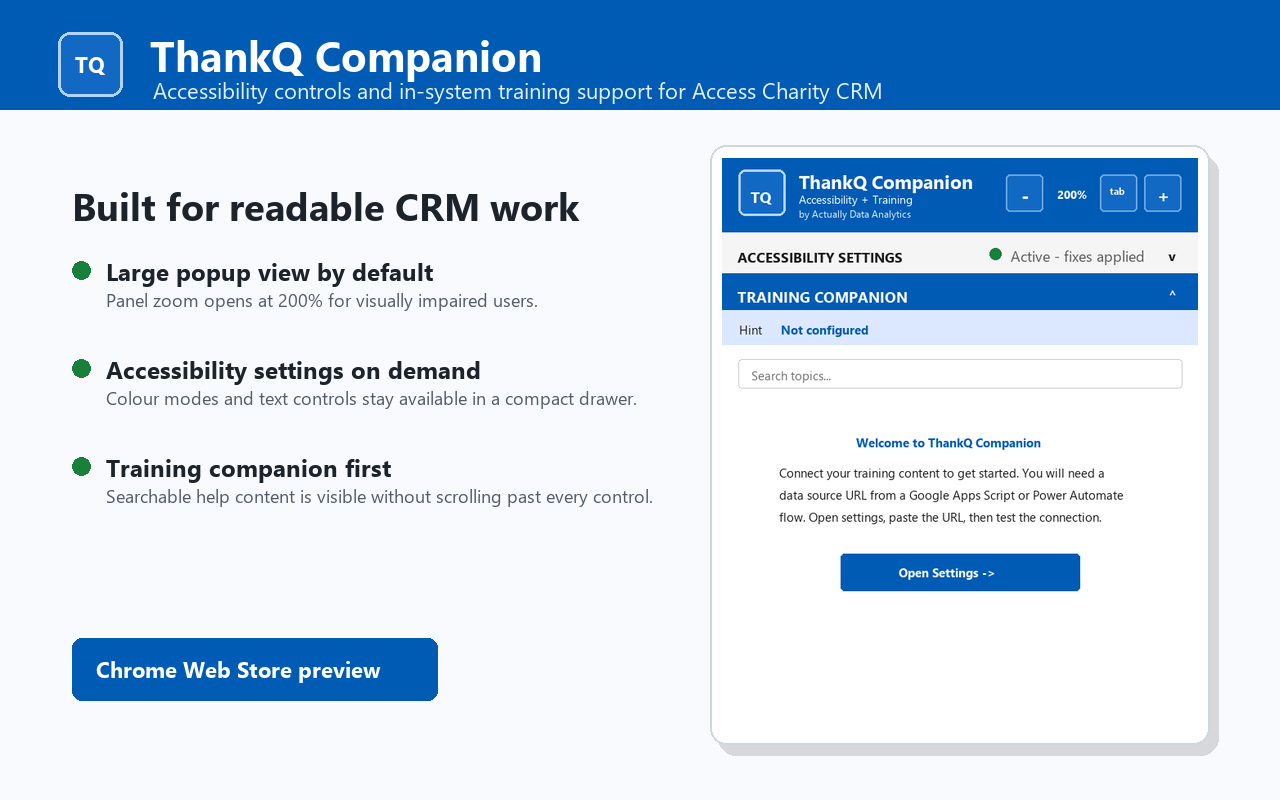
ThankQ Companion opens with a large, easy-to-read interface by default. Users can adjust the extension panel size, increase text size, and choose from colour modes designed to improve contrast and readability.
Accessibility options include high contrast dark mode, high contrast light mode, colour vision support modes, custom colour settings, and visible keyboard focus styling.
These tools help reduce visual strain and make it easier to work with forms, tables, tabs, links, and other dynamic ThankQ screens.
Training Help Inside ThankQ
Alongside the accessibility controls, ThankQ Companion includes a searchable Training Companion panel.
This can be connected to your organisation’s own training content, allowing staff to access guidance without leaving ThankQ. Users can search for topics, browse questions and answers, and open related documentation where configured.
This is ideal for teams that want to support users at the point of need, rather than relying only on separate manuals, shared drives, or one-off training sessions.
Designed For ThankQ And Access Charity CRM
ThankQ Companion is built specifically for ThankQ / Access Charity CRM environments. It works with the way ThankQ pages render inside Access Workspace, including dynamic screens and framed content.
The extension can help improve accessibility across common CRM tasks such as working with contacts, reviewing records, navigating tabs, using forms, and searching for information.
Organisation-Specific Support
The Training Companion can be configured with your own content source, such as a Google Apps Script or compatible JSON endpoint. This means each organisation can provide its own guidance, terminology, policies, and process notes directly inside the extension.
For example, you could include internal help for contact management, fundraising processes, reporting, data quality checks, supporter communications, or onboarding guidance for new users.
Privacy And Data
ThankQ Companion stores configuration settings using Chrome extension storage. Training content is fetched only from the source configured by the organisation or user.
The extension is designed to support accessibility and training inside ThankQ. It does not sell user data.
Who It Helps
ThankQ Companion is useful for:
- Visually impaired users who need larger or higher contrast screens
- New starters learning ThankQ processes
- CRM administrators supporting users
- Fundraising and supporter care teams
- Organisations wanting to improve accessibility in day-to-day CRM use
- Teams that want help content available inside the live system